
A practical breakdown of Google Search Live, Gemini 3.1 Flash Live, and what voice AI search changes for SEO, local visibility, and customer acquisition.
This week Google made a move that changes the rules of the game. Search Live, the voice AI search powered by Gemini 3.1 Flash Live, launched in 200+ countries. This is not just voice input. It is a full conversation with search: ask a question, get a spoken answer, ask a follow-up, and receive more details with sources.
Your customers will soon stop typing queries and start talking to Google. And the way your site is built will determine whether it appears in those answers.
In this article I break down what changed, how voice AI search differs from text search, and what exactly you need to do so your business is ready.
What Google Search Live and Gemini 3.1 Flash Live are
Google Search Live is a real-time voice AI search experience. You open Google, press the microphone, and start talking. It is not just dictation. It is a dialog: you ask, clarify, ask again, and get spoken answers with source links.
It is powered by Gemini 3.1 Flash Live, Google’s newest model optimized for real-time voice dialogue. It is Google’s answer to ChatGPT Voice Mode, with one critical advantage: direct access to the Google search index.
Key facts:
- 200+ countries – Search Live is no longer US-only. The global rollout happened this week.
- Multilingual – available across the languages and locations where AI Mode is offered, so users can search in their preferred language.
- Dialog mode – not a one-time query, but a real conversation. You can clarify, change topics, and ask for examples.
- Sources in answers – every answer includes links to the pages AI used.
- Watermarking – audio from Gemini 3.1 Flash Live is marked with a digital watermark, SynthID. More on that below.
What does this mean for you? Voice search used to be limited to simple queries like “weather Kyiv.” Now someone can say, “I need to set up advertising for a dental clinic in Odesa, the budget is small, what do you recommend?” and get a detailed answer with concrete recommendations and links.
If your site contains the answer to that question, it will appear in the response. If not, your competitor will.
How voice AI search differs from text search
Voice search is not text search with a microphone. It is a fundamentally different user behavior, and it requires a different approach to content.
Longer, more specific queries
Text query: “Google Ads setup.” Voice query: “How do I properly set up Google Ads for a small business if my budget is about ten thousand a month?” According to Backlinko, voice queries usually have 6-10 words versus 3-4 in text search, and the average voice search answer is only 29 words. That means AI is looking for content that gives a short, direct answer.
Conversational style
People talk to AI the way they talk to another person. Not in keywords, but in full sentences. “What is better for a cafe, Google Ads or Instagram?” instead of “google ads vs instagram cafe.”
Expectation of a direct answer
In text search, a person is ready to click 3-5 links and compare them. In voice search, they expect one clear answer with an explanation. AI has to choose one best source to read aloud. That means the fight is not for top 10, but for position number one.
Context and follow-up queries
With Search Live, the user does not start every query from zero. They say, “What about price?” or “Does this work for Lviv too?” and AI understands the previous context. Your content should answer chains of questions, not isolated queries.
Audience growth
Voice assistants are no longer niche technology. According to Statista, the number of voice assistant-enabled devices worldwide passed 8.4 billion in 2024, including smartphones, smart speakers, cars, and TVs. The Search Live rollout in 200+ countries will multiply the share of voice AI search across that audience.
Want to understand how your customers will search by voice?
I can analyze your niche and show the typical voice queries you should optimize for. Message on Telegram · My services
What this means for SEO and GEO
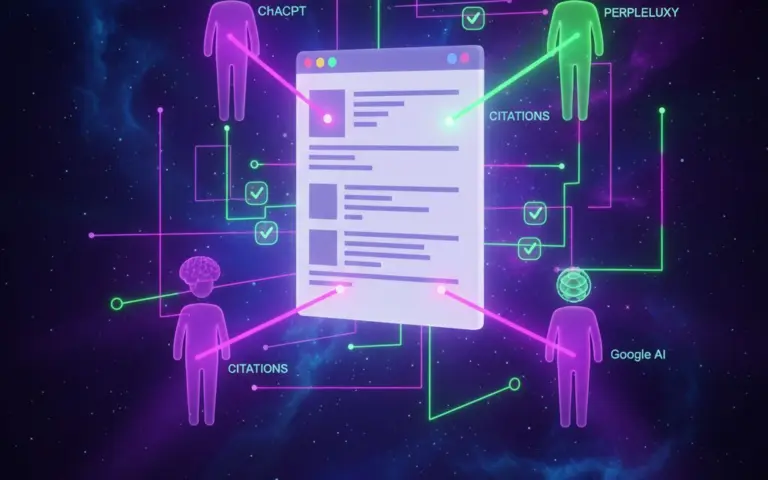
We already covered GEO optimization for AI search, how to appear in ChatGPT, Gemini, and Perplexity answers. Voice AI search is GEO on steroids. Everything that matters for text AI search becomes critical for voice.
Featured snippets become audio answers
According to Backlinko, about 40% of voice search answers are pulled from featured snippets. When Google speaks an answer, it reads exactly that fragment. If your content lands in a featured snippet, it gets voiced. If not, a competitor gets the airtime.
FAQ sections matter even more
Voice search is question and answer. FAQ sections with FAQPage schema are the ideal format for AI looking for a specific answer to a specific question. Every question-and-answer pair is a potential voice answer.
Local search plus voice = explosive combination
According to BrightLocal, 58% of consumers use voice search to find local businesses, and that was back in 2018. Since then voice assistant adoption has grown dramatically. “Where is a good dental clinic near me” is a typical voice query. If your Google Business Profile is not optimized, you are losing that traffic.
Speed becomes critical
Voice search expects an instant answer. Users will not wait 5 seconds for a page to load. AI favors sources that deliver content quickly. Load times above 3 seconds are a serious risk for voice visibility.
Conversational content wins
Traditional SEO copy written for keywords sounds unnatural when spoken aloud. AI prefers content that can be read out loud and still sound natural. Write the way you speak to a client: simple, specific, and free of bureaucracy.
7 steps to optimize for voice AI search
Here is the concrete action plan. Some points overlap with classic GEO optimization, and that is normal. Voice search only makes the fundamentals more important.
Add an FAQ section to every key page ▼
Voice search is about questions. Your site needs answers.
Every service page, every product category, and every important page should have an FAQ block with 5-10 questions that real customers ask.
Where to get questions
- Google People Also Ask – search your service and see the questions
- Support chat or sales team – the questions people ask live
- Google Search Console – queries that already bring people in
- ChatGPT / Perplexity – ask “what questions do people ask about [your service]?”
Answer format: 2-3 sentences, a direct answer with no filler. That is the fragment AI is likely to read aloud.
Switch to conversational long-tail keywords ▼
Voice queries are longer and more conversational. Optimize content for full questions, not just short keywords.
Instead of: “google ads setup price”
Optimize for: “how much does Google Ads setup cost for an online store” or “how do I set up Google Ads myself if I have no experience”
How to find conversational queries
- Start with “how,” “why,” “where,” “how much,” “which,” and “what is better”
- Use AnswerThePublic for English-language query ideas
- Google Autocomplete – start typing a question and look at the suggestions
- Analyze Google Search Console queries and filter for 5+ words
Implement schema markup: FAQ, HowTo, LocalBusiness ▼
Schema markup, structured data for search engines, helps AI understand what is on your page. For voice search this is especially important because AI needs to quickly find the right fragment to read aloud.
Minimum set for voice optimization:
- FAQPage – for question and answer sections. The most important for voice search.
- HowTo – for step-by-step instructions. Every step is a potential voice answer.
- LocalBusiness – for local businesses. Address, phone, opening hours, service area.
- Product / Service – for products and services. Price, availability, rating.
- Person – for the author or expert. Builds AI trust in the content.
We covered schema markup in detail in the GEO optimization article. For voice search, add LocalBusiness and Product/Service too, if they are relevant.
This is a developer task. Send them this section together with the detailed instructions in the GEO article.
Reformat content for direct answers ▼
AI reads 1-3 sentences. Your job is to answer the question in the first sentences of each section.
Bad example:
“In today’s digital marketing world, many entrepreneurs are trying to figure out the optimal budget for ad campaigns, because this question is key to effective growth…”
Good example:
“The minimum budget for Google Ads in 2026 is from UAH 5,000 a month for a local business. The optimal range is UAH 15,000-30,000 so you can gather enough data for optimization.”
The first version is nothing to quote. The second is a ready answer that AI can read aloud.
Check every section: does it start with a direct answer? If not, rewrite the first sentence.
Optimize load speed ▼
Voice search expects instant results. AI will not wait for your site to load, it will use a faster competitor instead.
Target metrics:
- LCP (Largest Contentful Paint) – under 2.5 seconds
- CLS (Cumulative Layout Shift) – under 0.1
- TTFB (Time to First Byte) – under 800 ms
What to check
- Compress images to WebP or AVIF
- Enable server caching
- Minify CSS and JavaScript
- Use a CDN
- Check through Google PageSpeed Insights
A site that loads in 1.5 seconds has an edge over one that loads in 4. Especially for AI, which scans dozens of sources in seconds.
Note that the first 5 steps are the foundation. The next 2 are about local visibility and structured data for products and services. That is what creates a real competitive advantage in voice search.
Optimize local SEO and your Google Business Profile ▼
A large share of voice queries are local. “Near me,” “best in town,” “what is open now,” these are all voice search.
What to do
- Google Business Profile – fill it out 100%. Every category, opening hours, photos, service description, and service area.
- Reviews – actively collect reviews on Google. AI uses rating and review count when forming answers.
- NAP consistency – name, address, and phone number must be the same on every platform: site, Google, Facebook, directories.
- Local keywords – add the city or district to titles, meta descriptions, and content.
This matters especially for businesses with a physical location such as stores, clinics, restaurants, salons, and offices. But even for online businesses with a local audience, Google Business Profile gives you an edge.
Add structured data for products and services ▼
Voice search often asks about specific products and services: how much, where to buy, what rating. Product and Service schema help AI find those details quickly.
What to mark up
- Product – name, price, currency, availability, rating, number of reviews
- Service – service type, price range, service area
- Offer – concrete offers with pricing and terms
- AggregateRating – overall rating based on reviews
When someone asks, “How much does Google Ads setup cost,” AI can name the price from your site right away if it is marked up properly. Without markup, AI will pull the price from a competitor.
Checklist: is your site ready for voice AI search
A PDF with 20+ check points: FAQ sections, schema markup, speed, local SEO, and content format. Print it and audit your site page by page.
Get it on Telegram →Audio watermarking: what it is and why it matters
Google is adding digital watermarking to audio generated by Gemini 3.1 Flash Live. The technology is called SynthID. It embeds an imperceptible digital mark into every audio fragment.
What this means in practice
- For business: if someone records Search Live answers and publishes them as their own content, the watermark can identify AI-generated audio.
- For content creators: this is a step toward transparency. Audiences will be able to tell AI narration from a live human voice with the right tools.
- For the industry: Google is setting the standard for AI content labeling. Other platforms will likely follow the same path.
For now the watermark does not affect audio quality and does not require any action from site owners. But if you create audio or video content, keep an eye on this topic. AI content labeling is becoming the norm.
Not sure whether your site is ready for voice search?
I can audit it and show you what to fix first. Message on Telegram · My services · Case studies
Frequently asked questions about Google Search Live and voice AI search
Google Search Live is a voice AI search mode that lets you talk to Google in real time. It runs on Gemini 3.1 Flash Live. You ask a question by voice, get a spoken answer with source links, and can ask follow-up questions without repeating the context. It launched in 200+ countries in March 2026.
The main difference is that Google Search Live has direct access to the Google search index, the largest in the world. The answers are based on fresh search data, not only on the model’s training data. Search Live also gives source links with every answer, while ChatGPT Voice Mode does not always cite specific pages.
Add FAQ sections with FAQPage schema to key pages. Reformat content so the first 2-3 sentences of each section give a direct answer. Use conversational long-tail keywords. Implement schema markup for FAQ, HowTo, and LocalBusiness. Optimize load speed to an LCP of 2.5 seconds. Fill out your Google Business Profile fully.
Yes, voice search has the biggest impact on local business. According to BrightLocal, 58% of consumers use voice search to find local businesses. Queries like “near me,” “best in town,” and “who is open now” are typical voice queries. Businesses with an optimized Google Business Profile and reviews get priority.
Gemini 3.1 Flash Live is Google’s AI model optimized for real-time voice dialogue. It powers Google Search Live. Audio generated by this model is marked with SynthID, an invisible digital watermark. The goal is transparency, to make AI-generated audio identifiable and reduce misinformation.
Voice AI search is not tomorrow, it is today
Google Search Live is already live in 200+ countries. Gemini 3.1 Flash Live is Google’s new lower-latency voice model, and this is no longer just a limited experiment in one market. It is already a real search behavior businesses need to plan for.
Your customers are starting to talk to search instead of typing. And the sites that are ready to give direct, structured answers will be spoken aloud. The rest will be ignored.
Minimum plan for the next two weeks:
- Add an FAQ section with 5-10 questions on each key page
- Check the first sentence of each section and make sure it gives a direct answer
- Implement FAQPage and HowTo schema markup
- Check site speed in PageSpeed Insights, target LCP under 2.5 seconds
- Fill out your Google Business Profile fully if you have a local business
- Ask 20 typical customer questions in Google Search Live and see whether you appear in the answers
If you have not read our detailed GEO optimization article yet, start there. It gives you the foundation on which voice optimization is built.
Read also: How to measure AI search traffic in GA4 · How to set up Google Ads · About me · Case studies



Comments
Discuss on Telegram